
MGI battery and charger guide: charging time, battery life and fixes
How long to charge mgi battery: How to charge, store and look after an MGI lithium battery: first charge, charger lights, what to do between rounds, winter storage and when to stop and call a repair centre.
Matching the battery and charger
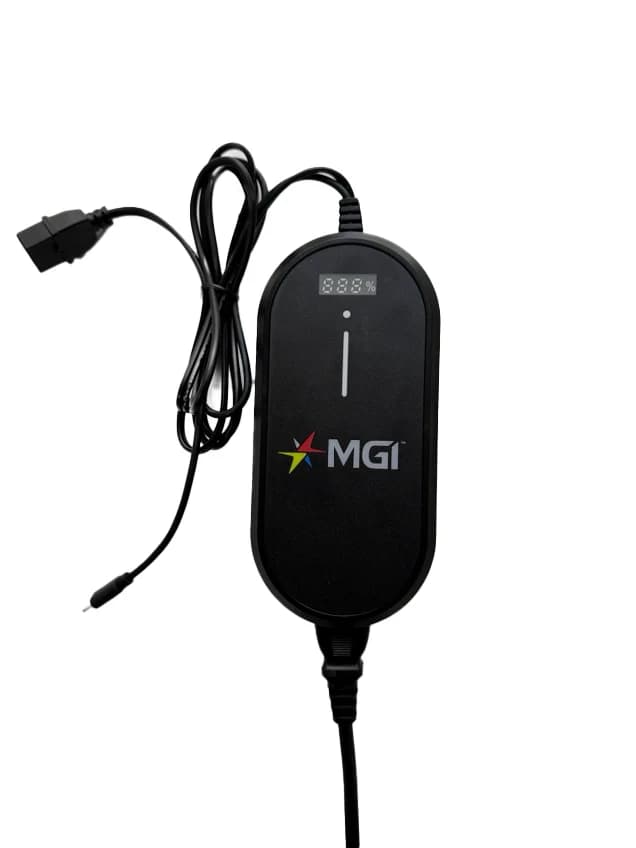
MGI batteries are model-specific and so are the chargers. The Zip X1, X3 and X5 take the 24V 250Wh pack, the larger 299Wh pack fits the Zip range and is standard on the Zip Navigators, and the Ai range uses a 24V 380Wh pack. A 24V lithium battery needs a 24V lithium charger, and the E-Boost has its own E Series charger that is not compatible with other MGI batteries.
Charging a new battery
Charge a new battery before first use, and keep to this routine afterwards.
- •1. Charge a new Zip battery for at least eight hours or overnight, until the charger light turns green.
- •2. After each round, charge the battery fully.
- •3. Unplug it once it is full, and do not leave it on a powered charger for more than ten hours.
- •4. Recharge the remote battery at the same time as the main battery.
Charger lights
On MGI's lithium chargers the light tells you where charging is up to: green means the charger is powered on, red means the battery is charging, and green again means the battery is fully charged and on float charge. The MGI Ai and Zip smart charger adds an on-board digital indicator.
Between rounds
Do not leave the battery handle engaged when you finish playing, because it will keep draining the battery. Disengage it, then store the buggy.
Storing a battery
Lithium batteries self-discharge, and MGI advises against long storage either flat or fully charged.
- •1. Store at about 40 to 50 per cent charge in a cool place.
- •2. Keep it between 15 and 25 degrees if you can, and never below 0 degrees.
- •3. About every six months, recharge the battery and use it down to 40 to 50 per cent again.
Care and safety
Inspect the leads, casing and connections regularly for damage or wear, and have worn leads repaired or replaced promptly through an MGI repair centre. Never connect a battery that has been dropped, damaged or immersed in water to a buggy or charger, because it can create a fire risk. Contact the MGI Service Centre to arrange a replacement. The MGI Fireproof Charging Box is designed to store and charge a Zip or Ai battery while significantly minimising fire risk.
When something is wrong
Work through these checks, and take the battery or charger to an authorised MGI repair centre if they do not fix it.
- •No light on the charger: check the leads are connected correctly and the power is on.
- •Charger light never turns green: the charger may be faulty, so have both the battery and charger checked.
- •No power from the battery: check the fuse on the leads and the connections at the terminals and leads.
- •Running out of power near the end of a round: the battery needs testing at an authorised repair centre.
Frequently Asked Questions
MGI Lithium 24v Smart Charger - Ai and Zip Series
Digital Charge Indicator, Built-In USB-C Cable, Overcharge Protection, Auto-Shutoff. Available for immediate dispatch from our Yatala QLD depot with nationwide enclosed delivery.
More Australian Golf Buggy Guides
Lithium vs Lead-Acid Golf Buggy Batteries: The Complete Australian Buyer Guide
Comparing real-world driving range, 8-year lifespan savings, hill climb torque, and maintenance differences for Australian golf courses and acreage estates.
Golf Buggy Chargers Explained: Amperage, Charge Times & Choosing The Right Charger
How golf buggy chargers actually work, why matching amperage and chemistry matters more than the price on the box, and realistic charge times on a standard Australian power point.
Buying a 4-Seater Golf Buggy in Australia: Road Rules, Acreage & Resort Access
Everything you need to know before buying a 4-passenger golf buggy in QLD, NSW, and VIC — conditional registration, community estate bylaws, and safety specs.