
How to pair and fix an MGI remote
How to pair mgi remote: Step-by-step remote pairing for the MGI Zip Navigator, Zip Navigator AT and Ai Navigator GPS+, plus how to charge the remote and what to try if pairing fails.
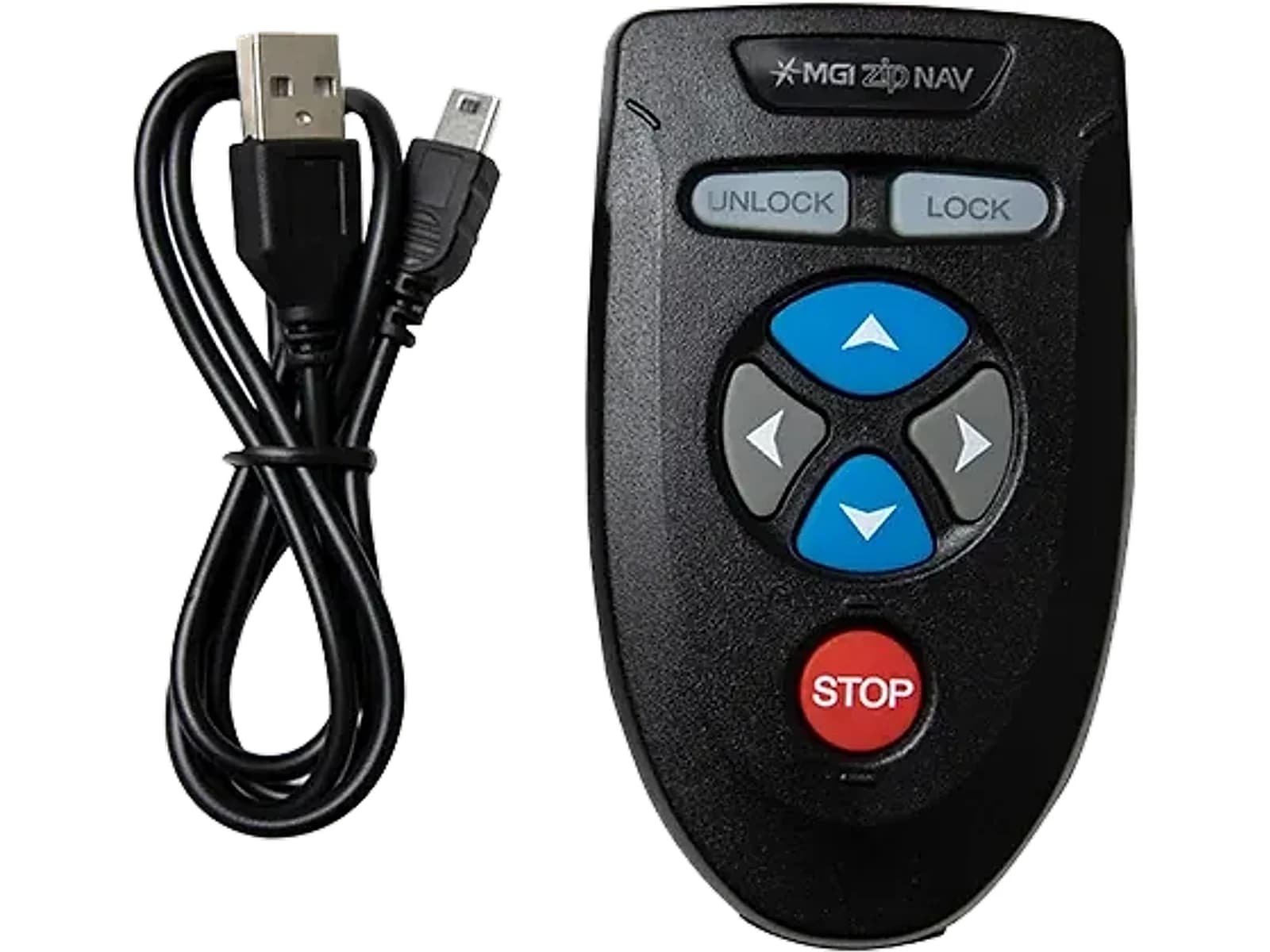
Which MGI buggies have a remote
The Zip Navigator, Zip Navigator AT, Ai Navigator GPS+ and Ai Navigator Halo have full directional remote control. The Zip X1 and X3 and the Ai 500 are non-remote models, so there is nothing to pair. The two remote types pair differently, so follow the right set of steps below.
Pairing a Zip Navigator or Navigator AT remote
MGI's steps for the Zip Navigator remote are short. Work through them in order and do not skip the battery steps.
- •1. Disconnect the battery from the buggy.
- •2. Hold down the Stop button on the remote until both the Lock and Unlock buttons are lit, then release the Stop button.
- •3. Reconnect the battery.
- •4. The remote synchronises with the top box. Pairing is complete once the Lock and Unlock buttons are no longer lit.
The one-minute limit and one remote at a time
If the battery is not reconnected after step 2, the remote leaves pairing mode after one minute, so reconnect it promptly and repeat from step 1 if it times out. MGI also states that only one remote can be paired to a buggy at a time.
Pairing an Ai Navigator GPS+ remote
Remote pairing in this form applies to the Ai Navigator GPS+ only. If you have bought a replacement, the old remote has to be unpaired first.
- •1. Power on the buggy and open Settings on its screen.
- •2. Choose Remove Remote to clear any remote that was paired before.
- •3. Hold the power button on the new remote to switch it on.
- •4. The remote LED flashes blue while pairing and turns solid blue once it is paired. MGI says this typically takes two to four seconds.
Charging the remote
MGI recommends recharging the remote battery whenever you recharge the main battery. The USB-C cable built into the MGI Ai and Zip smart charger suits the Zip Navigator remote, and it is not compatible with the Ai Navigator GPS+ remote.
If the remote will not pair
Repeat the steps from the start. On the Zip Navigator, make sure the battery goes back in within a minute. On the Ai Navigator GPS+, make sure the old remote was removed in Settings first. If it still will not pair, contact MGI customer service with your buggy model and serial number, or contact us for a replacement MGI Ai and Zip remote controller.
Frequently Asked Questions
Replacement MGI Ai & Zip Remote Controller Unit
Pre-programmed Pairing Capability, USB-C Rechargeable. Available for immediate dispatch from our Yatala QLD depot with nationwide enclosed delivery.
More Australian Golf Buggy Guides
Must-Have Golf Buggy Accessories & Spare Parts in Australia: From Umbrella Mounts to Sand Buckets
The top 10 essential golf buggy accessories and replacement spares for Australian courses. Sun protection, sand buckets, drink coolers, and spare wheels.
MGI Golf Buggy Accessories Guide: Top 10 Must-Have Add-Ons for Australian Courses
Explore the essential accessory attachments for MGI Zip and Ai Navigator electric buggies. From sun umbrella extenders and padded seats to sand bucket loops and wheel covers.
Golf Buggy Parts and Spares in Australia: What to Stock and What to Source
Which golf buggy parts are worth keeping on hand, which need a technician, and why Australian parts availability decides a buggy's real lifespan.